
CRM for managing a fitness club and gym — an app in Hebrew, start free
One CRM for a fitness club and gym — memberships and punch cards, attendance, charges and balances, digital invoices and email reminders. Fully in Hebrew, no credit card.

The everyday challenges of running a fitness club
From the member who comes twice a week to hundreds of members — all manual and a headache
Memberships slipping through the cracks
Tracking renewal dates, freezes and pauses by hand — it's easy to miss a few
Complicated monthly billing
Who paid, who owes and how much — in a notebook or Excel, and payment reminders that get forgotten
Attendance and membership decline
There's no way to know who's stopped coming. By the time you find out - they've already cancelled their membership
How BaseCRM solves it
A complete solution for managing a fitness club — from the very first member to financial reports for the organization
Managing monthly memberships and punch cards
Memberships and cards on any plan you define — a monthly membership, a card for a number of entries or a trial session. The screen shows each member’s package type, remaining entries, validity and price, and allows renewal in one click.
- Flexible membership and card types
- Renewal in one click
- Remaining entries and validity for each member

Attendance tracking
Record attendance in every class from the computer or the phone, with an attendance history for each member: date, class, status and lateness. In the report you can filter by period, class and status, and send a member a WhatsApp summary — so you know who keeps coming and who stopped.
- Record attendance from the computer or the phone
- Attendance history for each member
- Filter by period, class and status

Charges and debts
Track charges and debts for every member and every class: how much was charged, paid and remains, with a WhatsApp payment message in one click. Issuing Digital invoices and partial payment in the same system.
- Charged, paid and balance for each member
- A WhatsApp payment message in one click
- Digital invoices and partial payment
Standing order — the monthly membership records itself
A member who pays by standing order is marked once: the amount, the charge day of the month and the first month. From that month on the payment is recorded by itself on the charge day, and several members can be marked at once. In the "By month" table you see, for each member, what was paid each month and beneath it how many lessons they attended, and a "To collect" counter in the menu shows who has money to collect right now.
- Standing orders for several members at once
- Payment and attendance for each month in the same table
- On the plan with card clearing: recurring charges to a credit card the customer saved

Here's how it looks in real life
Screenshots from a sample business — a fitness club: plans, attendance tracking and measurements

Active training programs
All members receiving personal programs — tracking in one place

Program builder with exercises
Create a structured training program from the exercise library

Attendance and performance tracking
Who showed up this week, completion rate and notes — a live snapshot

Body measurements and progress
Weight, body-fat percentage, measurements — full history for every trainee

Exercise library
Built-in exercises + add the trainer's own exercises — by category

Progress gallery
Before/After photos — a visual record of trainees' progress
Members open a personal page on their phone — not a PDF
With one click the member gets a link to a personal page on their phone — they see every training day, exercise, set and weight, tick off the sets they did, and the history is saved automatically.
- No download — opens directly in the mobile browser
- Share with one click — WhatsApp or email
- Automatic logging of every completed set
- Automatic rest timer between sets
- The professional staff sees the progress in real time


Key features for managing a fitness club
Everything you need to run a professional fitness club
Automatic receipt scanning New
Snap a photo of a receipt — and the system automatically fills in the amount, date, supplier and expense description. Saves manual entry of expenses.
Membership management
Every type of membership and punch card — with expiry, remaining entries and one-click renewal
Classes and groups
A class schedule with spot limits and waiting lists
Attendance tracking
Quick check-in and attendance history for every member, filtered by period and class
Charges and debts
What was charged, what was paid and what is left for every member, with digital invoices
Standing orders New
The monthly payment of anyone who pays by standing order is recorded by itself on the charge day
A personal area for every member New
A personal link, with no password, with the member's payments, cards, lessons and attendance
Reminders and follow-ups
Email reminders before class, and a waiting list that moves up when a spot opens
Financial reports
Revenue, balances and attendance by period
Information security
Encryption, role-based permissions and compliance with the Israeli Privacy Protection Law
One price for the whole business
Every tool for running a professional fitness club at one simple price
Full plan for the whole business
No credit card needed. When the free month ends: ₪29 a month for the whole business.
No credit card, no commitment
No hidden costs • cancel anytime
Need to take card payments from customers? Plan with card payments: ₪89 a month (terminal fees and commissions paid to the payment company separately).
- Charge and balance tracking
- Attendance tracking and reports
- Digital invoicing system
- Automatic email reminders
- Support in Hebrew and English
- Access from mobile devices
No credit card required
How do you get started?
Sign up free
Sign up in a minute, no credit card
Setting up memberships
Define membership types, punch cards and prices
Loading memberships
Import existing members from a spreadsheet or enter them manually
Manage and measure
Billing and attendance tracking, and financial reports
Frequently asked questions
What is a CRM for managing a fitness club?
Does the system support monthly billing by standing order?
How do you identify a member who's about to cancel?
How much does gym management software cost in Israel?
Comparison: BaseCRM vs. alternatives for gym management
| Feature | BaseCRM | Spreadsheet + manual | International system |
|---|---|---|---|
| Membership and punch card management | ✅ | Manual | ✅ |
| Digital invoices (Tax Authority registered) | ✅ | Manual | ❌ |
| Automatic email reminders in Hebrew | ✅ | Manual | ❌ |
| Full Hebrew | ✅ | ✅ | ❌ |
| Monthly price | First month free No credit card needed. When the free month ends: ₪29 a month for the whole business. Prices are final — no VAT is added. | Free (but costly in time) | Varies by provider |
Guides for fitness club owners
Professional content to help you run your club better
A consultation or assessment meeting — recorded and transcribed
Record a full meeting, up to 90 minutes, and get a transcript attached to the appointment — the goals, the limitations and the plan that was agreed.
- An introductory and goal-setting meeting
- Assessment and building a training plan
- A coaches’ staff meeting
-
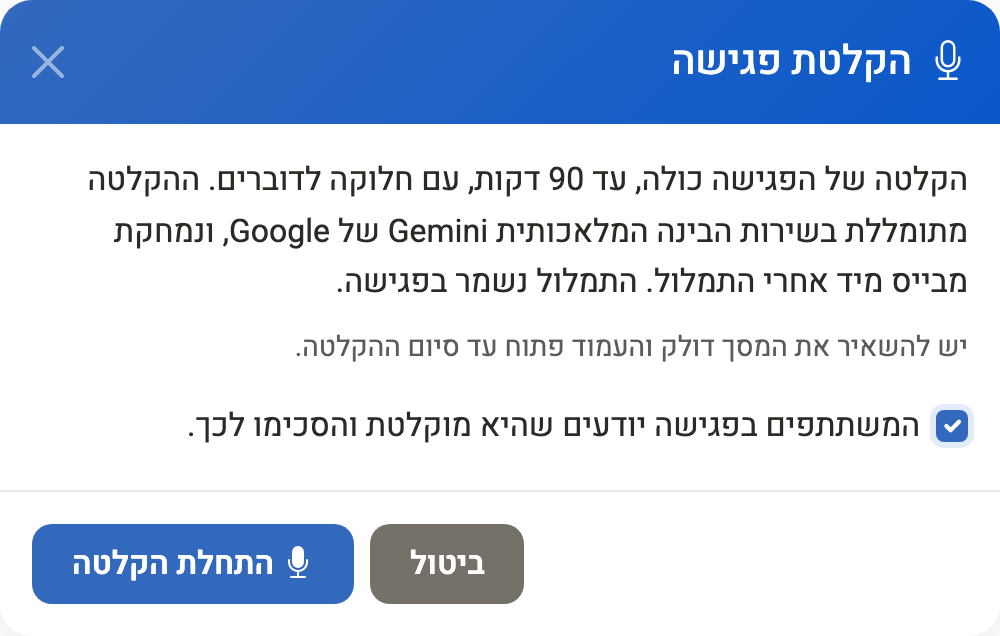
Consent before anything else
Before recording, the participants confirm the meeting is being recorded. Without that confirmation, recording does not start.
-
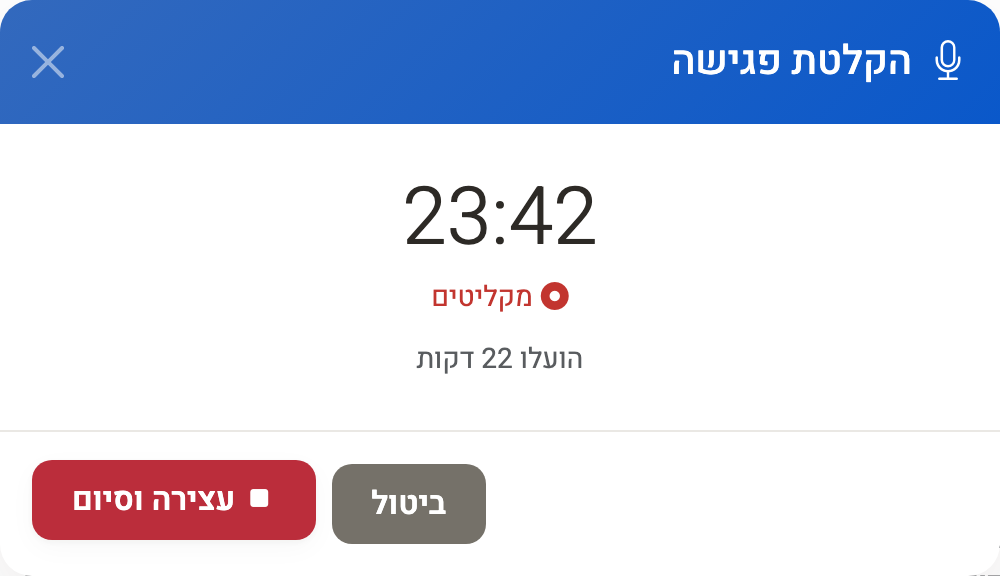
Record up to 90 minutes
On the appointment, choose “Record the meeting + transcript”, from the phone or the computer. The recording uploads in parts during the meeting.
-
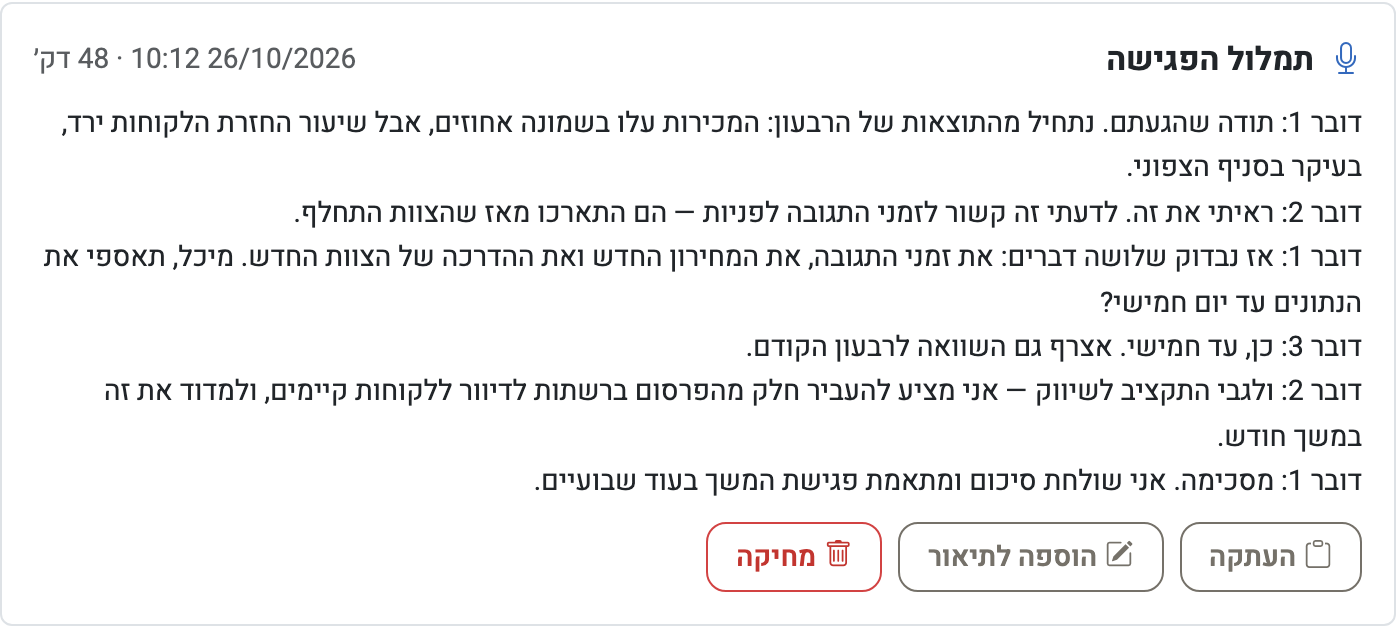
The transcript arrives on the appointment
Usually within a few minutes of the end, with a notification. Copy it or add it to the appointment description with one click.


- The recording is transcribed by Google’s Gemini AI service. In a clinic it is transcribed only on BaseCRM’s transcription server and is not sent to external AI services.
- The audio is deleted right after transcription. The transcript is stored encrypted, and everyone authorised to see the appointment can read it.
- The transcript is split by speaker: “Speaker 1”, “Speaker 2” and so on.
The transcript usually appears within a few minutes after the recording ends, and a notification is sent when it is ready.
Start managing your fitness club smarter
Membership management, billing tracking and reports — start free, in Hebrew, in a minute
Start free